Key takeaways
- Compare four large Android tablets with real keyboard support, from keyboard bundles with the cover in the box to a flagship with a pogo-pin keyboard dock.
A big Android tablet only earns a place on your desk if it can handle real typing, and that decision hinges on details listings love to blur. Some tablets ship with a keyboard cover in the box, some carry a magnetic connector for a matching keyboard, and some quietly expect you to supply your own Bluetooth board. Screen size matters just as much: below eleven inches, split-screen documents start to feel cramped, while a thirteen-inch panel gives two apps room to breathe side by side.
This roundup is for students, remote workers, and writers who want one device for reading, notes, and long documents. Every pick is an Android tablet with a screen of at least eleven inches and keyboard support stated on its Amazon product page, whether that means a bundled keyboard cover or a built-in pogo-pin connector. The four were chosen from the names, included components, and specifications published on those Amazon pages, then checked against a second source before any of them earned a place here.
Quick Picks
As an Amazon Associate we earn from qualifying purchases.
| Product | Best for | Key spec from title |
|---|---|---|
| Samsung Galaxy Tab S10 FE+ 13.1″ 128GB + Book Cover Keyboard Slim | Everyday typing and notes with a pen included | 13.1-inch display, keyboard cover in the box |
| Samsung Galaxy Tab S10 FE+ 13.1″ 256GB + Book Cover Keyboard Slim | Heavier multitasking on the same big screen | 256GB storage, keyboard cover in the box |
| Lenovo Tab P12 12.7″ with Pen and Keyboard Included | A complete kit with pen and keyboard together | 12.7-inch 3K display, pen and keyboard included |
| OnePlus Pad 3 13.2″ (12GB RAM, 256GB) | Flagship speed with a pogo-pin keyboard dock | 13.2-inch 3.4K 144Hz display, Snapdragon 8 Elite |
How to Choose
Check whether the keyboard is in the box or on a connector
Keyboard support comes in three forms, and they are not equal. The simplest is a bundle: the listing names a keyboard cover among the included components, so the tablet arrives ready to type. Next is a connector tablet, where pogo pins along the edge power a matching keyboard with no pairing or charging of its own. Last is Bluetooth-only support, which works with almost any wireless keyboard but adds a battery to maintain and a connection that can drop. Read the included components and configuration fields on the listing before assuming a keyboard is part of the purchase.
Match screen size and resolution to split-screen work
A large screen earns its keep when two apps share it. At 12.4 to 13.1 inches, a document and a browser sit side by side at readable sizes, which is where these tablets pull ahead of smaller models. Resolution decides how crisp that text stays: panels around 2560 by 1600 pixels keep small fonts clean, while 3K-class screens near 2944 by 1840 or higher suit buyers who read dense PDFs for hours. Refresh rate matters less for typing, though a 90Hz or 144Hz panel makes scrolling through long documents noticeably smoother than a standard 60Hz screen.
Compare memory, storage, and expansion honestly
Typing workloads are light, but multitasking is not. Eight gigabytes of memory handles documents, mail, and a browser comfortably, while twelve gigabytes keeps more apps alive when you hop between a manuscript, a spreadsheet, and a video call. Storage fills with offline media and scanned paperwork faster than expected, so note whether the tablet accepts a microSD card. Samsung and Lenovo models here include card slots, which makes a smaller built-in capacity easier to live with. The OnePlus counters with fast UFS 4.0 storage but no card slot, so its 256GB is all you will ever have.
Weigh battery, bulk, and the desktop mode
A keyboard turns a tablet into a small workstation, and the software decides how convincing that feels. Samsung DeX gives Galaxy tablets a windowed, taskbar-style desktop when the keyboard is attached, while OnePlus answers with Open Canvas, which juggles up to three apps on one screen. Lenovo takes a simpler split-screen route. Battery capacity between roughly 10,000 and 12,140 milliamp hours keeps all four going through a workday of writing, and weight matters once a cover is attached: every setup here stays easy to carry in a backpack.
The 4 Best Options
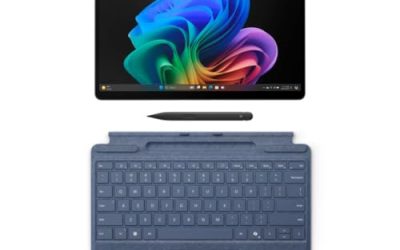
Samsung Galaxy Tab S10 FE+ 13.1″ 128GB + Book Cover Keyboard Slim, Silver

This is the straightforward way to buy a large typing tablet: the Book Cover Keyboard Slim is part of the listing, so the cover, keyboard, and tablet arrive together and the pogo connection works the moment you snap them together. The 13.1-inch screen at 2560 by 1600 pixels leaves room for a document beside your research, the Exynos 1580 keeps everyday apps responsive, and the included S Pen covers margin notes and signatures. IP68 dust and water resistance on the tablet and pen means a spilled drink or a rainy commute is a nuisance rather than a disaster.
Specs
- Display: 13.1 inches, 2560 x 1600 pixels, 90Hz
- Processor: Samsung Exynos 1580
- Memory and storage: 8GB RAM, 128GB, microSD expansion
- Included: Book Cover Keyboard Slim, S Pen
- Battery: 10,090 mAh
- Durability: IP68 rated tablet and S Pen
Best for: Students and home workers who want the keyboard and pen handled in a single purchase.
Watch out for: The Slim keyboard has no trackpad, so you will still reach for the touchscreen or pair a mouse.
ASIN: B0F1ZB7J87
Samsung Galaxy Tab S10 FE+ 13.1″ 256GB + Book Cover Keyboard Slim, Silver
Choose this variant when the standard model sounds right but its memory and storage do not. Doubling the built-in storage to 256GB and stepping up to 12GB of RAM makes this the better long-term multitasker: more apps stay open while you write, and there is headroom for large offline libraries of documents, photos, and downloaded media. Everything else mirrors its sibling, including the 13.1-inch 90Hz display, the Exynos 1580 processor, the bundled Book Cover Keyboard Slim with its AI key, the S Pen in the box, and the same IP68-rated build in the same Silver finish.
Specs
- Display: 13.1 inches, 2560 x 1600 pixels, 90Hz
- Processor: Samsung Exynos 1580
- Memory and storage: 12GB RAM, 256GB, microSD expansion
- Included: Book Cover Keyboard Slim, S Pen
- Battery: 10,090 mAh
- Durability: IP68 rated tablet and S Pen
Best for: Writers and researchers who keep many apps and files in play at once.
Watch out for: The panel is a TFT LCD rather than an AMOLED, so contrast sits a step below Samsung’s flagship tablets.
ASIN: B0F22FJLY9
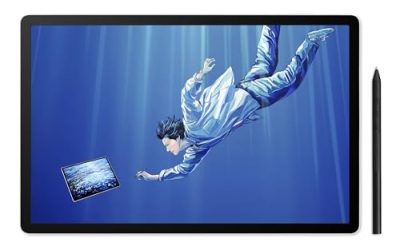
Lenovo Tab P12 12.7″ Tablet with Pen and Keyboard Included, 128GB

Lenovo bundles the most complete kit here: the listing includes both the Tab Pen Plus and a ThinkPad-inspired keyboard, so note-takers who also type get everything in one box. The 12.7-inch 3K display at 2944 by 1840 pixels is the sharpest Samsung alternative in this group, and four JBL speakers with Dolby Atmos give lectures and films unusual presence for a tablet. The Dimensity 7050 processor is a midrange chip, fine for documents, browsing, and split-screen study across up to four windows, and the 13MP front camera keeps you looking clear on video calls with tutors or colleagues.
Specs
- Display: 12.7 inches, 2944 x 1840 pixels (3K), 60Hz
- Processor: MediaTek Dimensity 7050
- Memory and storage: 8GB RAM, 128GB UFS, microSD expansion
- Included: Lenovo Tab Pen Plus, keyboard
- Battery: 10,200 mAh
- Audio: Quad JBL speakers, Dolby Atmos
Best for: Students who split their time between handwritten notes and typed assignments.
Watch out for: The display refreshes at 60Hz, so scrolling looks less fluid than on the 90Hz and 144Hz rivals here.
ASIN: B0CV7SWV2J
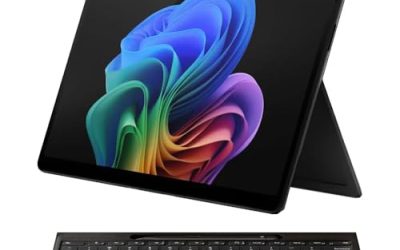
OnePlus Pad 3 13.2″ Tablet, Storm Blue (12GB RAM, 256GB)

The Pad 3 is the performance pick, built around the Snapdragon 8 Elite, the fastest chip in this roundup, and a 13.2-inch 3.4K display refreshing at up to 144Hz. Keyboard support is physical rather than bundled: a magnetic pogo-pin connector along the tablet’s edge docks the OnePlus Smart Keyboard, which draws power through those pins and needs no Bluetooth pairing or separate charging. Eight speakers, a 12,140 mAh battery with 80W charging, and a 5.97 mm aluminum body make it a strong media machine too, while Open Canvas multitasking arranges up to three apps across the tall 7:5 screen.
Specs
- Display: 13.2 inches, 3392 x 2400 pixels, up to 144Hz
- Processor: Qualcomm Snapdragon 8 Elite
- Memory and storage: 12GB RAM, 256GB UFS 4.0, no card slot
- Keyboard support: Magnetic pogo-pin connector for OnePlus Smart Keyboard
- Battery: 12,140 mAh, 80W fast charging
- Build: Aluminum unibody, 5.97 mm thin, 675 g
Best for: Power users who want flagship speed and a docked keyboard that never needs charging.
Watch out for: The Smart Keyboard is a separate purchase, and there is no microSD slot for expanding storage later.
ASIN: B0FC2HCN1Q
Which One Fits Your Situation
You write and take notes every day
The Galaxy Tab S10 FE+ bundles are the low-friction choice. The keyboard cover is in the box, the S Pen is in the box, and DeX is waiting when you want a windowed desktop for a long writing session. Pick the 128GB version for coursework and documents, and step up to the 256GB version if your notes library, photo scans, and offline reading keep growing year after year.
You want one box with everything inside
The Lenovo Tab P12 is the only pick that includes both a pen and a keyboard as standard. That makes it the simplest gift or first purchase for a student: open the box, attach the keyboard, and start working. Its 3K screen and quad JBL speakers also make it the strongest entertainment tablet here once the homework is done, even if its processor is a step behind the flagship models.
You type occasionally but watch constantly
Both Samsung bundles and the Lenovo split the difference well, yet the OnePlus Pad 3 leans furthest toward media: a 144Hz 3.4K screen, eight speakers, and the biggest battery in the group. Buy it as a tablet first, then add the Smart Keyboard later only if your writing habits grow into it. Because the keyboard docks on pogo pins, adding it later costs you nothing in pairing hassle or extra chargers.
You run demanding apps alongside your documents
Choose the OnePlus Pad 3. The Snapdragon 8 Elite has far more headroom than the midrange chips in the other three, so heavy multitasking, large spreadsheets, and games between work sessions all stay smooth. Its Open Canvas layout is genuinely useful on the 13.2-inch screen. Just budget for the keyboard separately and accept that 256GB of fixed storage is the ceiling for the life of the device.
Common Mistakes
- Assuming a keyboard is included because a tablet advertises keyboard support; check the included components on the listing, since connector tablets often sell the keyboard separately.
- Buying a Bluetooth-only keyboard case for a tablet that has a pogo-pin connector, giving up the instant, battery-free connection the pins provide.
- Overlooking the trackpad question: slim keyboard covers often omit one, which changes how laptop-like the setup feels for editing work.
- Ignoring the card slot when comparing storage, because a model with microSD expansion can outgrow a fixed-storage rival over time.
- Treating every thirteen-inch screen as equal, when resolution and refresh rate differ widely between midrange panels and flagship ones.
Frequently Asked Questions
Does keyboard support always mean a keyboard is in the box?
No. Three tablets here bundle a keyboard cover as part of the listing, while the OnePlus Pad 3 carries a pogo-pin connector and sells its Smart Keyboard separately. The listing’s included components and configuration fields tell you which arrangement you are getting, so read them before ordering rather than relying on the product name alone.
Can a tablet with a keyboard cover replace a laptop for office work?
For documents, email, spreadsheets, and browser-based tools, largely yes. Samsung DeX adds a windowed desktop with a taskbar, and the other tablets split apps across their large screens well. The limits are specific desktop programs, some advanced spreadsheet features, and file management habits that Android still handles differently from a full computer operating system.
Why does a pogo-pin keyboard beat a Bluetooth one?
A pogo-pin keyboard draws power from the tablet, so it never needs its own charging cable or battery, and the connection is instant every time you attach it. There is no pairing step and no wireless dropouts mid-sentence. The trade-off is fit: a pin connector only works with the keyboard made for that exact tablet model.
What screen size works best for typing and split-screen apps?
Between 12.4 and 13.2 inches is the sweet spot for this category. Two apps sit side by side at sizes close to a small laptop’s windows, and on-screen keyboards stay usable when the physical one is detached. Larger panels exist, but weight climbs quickly, and smaller eleven-inch tablets force more zooming and window swapping during document work.