Key takeaways
- The best Windows detachable tablets for portable office setups: Surface Pro picks and a high-power alternative, compared on screens, keyboards and ports.
A portable office setup asks a lot from a single machine. It has to run full desktop software in a hotel room, a client office, a train seat and a kitchen table, then slip into a bag without the weight and bulk of a conventional laptop. A Windows detachable tablet is built for exactly that pattern of work: the screen is the whole computer, a keyboard cover attaches when you need to type, and a kickstand holds the display up on almost any flat surface. Pull the keyboard off and the same device becomes a tablet for reading documents, signing forms, marking up PDFs and presenting to a small group.
This guide is deliberately strict about what counts. Every pick below runs Windows and uses a genuinely detachable design, meaning the keyboard separates completely from the tablet. Android tablets and iPads are excluded because they do not run the full Windows desktop environment most office workflows depend on. Laptops with 360-degree hinges are also excluded: they fold into a tablet shape, but the keyboard never leaves the machine, so they carry laptop weight in every mode. It is also worth saying plainly that this is a small category. Only a handful of manufacturers still make true Windows detachables, so this roundup covers three strong options rather than padding the list with convertibles that do not meet the definition.
As an Amazon Associate we earn from qualifying purchases.
What Makes a Detachable Work as a Portable Office
Before the individual picks, it helps to know which details separate a detachable that genuinely replaces a laptop from one that frustrates you by the second day of a trip.
The keyboard is the product. On a detachable, the keyboard is an accessory rather than a built-in part, and the typing experience varies more than on any laptop. Look for a cover with a proper key layout, a usable trackpad and, ideally, backlighting for dim rooms. Also check whether the keyboard is included in the box or sold separately, because that changes the real cost and the real weight of the setup you carry. A keyboard that only works while physically attached is fine at a desk, but a cover that keeps working over Bluetooth after you detach it adds flexibility when the tablet is propped up on a stand or connected to a hotel television.
Kickstand range matters. The kickstand replaces the laptop hinge. A wide adjustment range lets you set a comfortable viewing angle on everything from an airline tray to a standing desk. A narrow or fixed angle forces you to adapt your posture to the machine instead of the other way around.
Ports decide your dongle count. Most detachables offer only USB-C ports. That is enough if your portable office is built around a single USB-C hub or dock that handles your monitor, mouse, storage and charging through one cable. If you regularly plug into projectors, wired networks or older peripherals, plan the hub first and the tablet second.
Chip architecture affects older software. Current detachables ship with either Intel processors or Qualcomm Snapdragon processors running Windows on Arm. The Snapdragon machines tend to offer longer battery life and instant wake, and mainstream office applications run natively or through fast emulation. However, some older line-of-business programs, VPN clients, printer drivers and specialised tools still assume an Intel or AMD processor. If your work depends on a specific legacy application, an x86-based detachable is the safer choice; if your work lives in a browser, Microsoft 365 and mainstream apps, the Arm-based models are entirely practical.
Battery life is a claim, so read it carefully. Manufacturers quote battery figures from light video playback or mixed-use tests that may not match a day of video calls, which drain a battery far faster. Treat headline numbers as a comparison point between models rather than a promise, and carry the charger regardless.
1. Microsoft Surface Pro (11th Edition), 13-Inch — The Default Choice

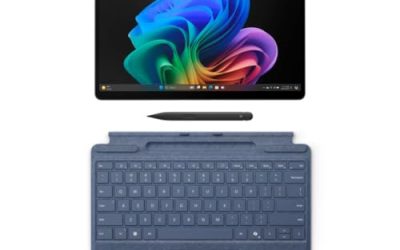
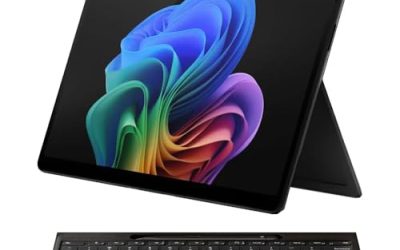
The Microsoft Surface Pro (11th Edition) is the machine that defines this category, and for most portable office setups it is the safest recommendation. The configuration linked here runs a Snapdragon X Plus processor with 10 cores, 16GB of LPDDR5x memory and a 256GB solid-state drive, under Windows 11 Home. The display is a 13-inch PixelSense Flow touchscreen at 2880 x 1920 resolution, a 3:2 aspect ratio that shows more of a document or spreadsheet vertically than the widescreen panels on most laptops. That extra vertical space is a quiet but real advantage for office work: more rows of a spreadsheet, more lines of a contract, less scrolling.
The tablet itself weighs just under two pounds, and the built-in kickstand adjusts across a wide range, so it sits comfortably on a desk, a tray table or your lap with the keyboard attached. Two USB-C ports with USB4 support handle charging, external displays and accessories, and the front camera supports Windows Hello face sign-in, which speeds up the constant locking and unlocking of a working day. Microsoft quotes up to 14 hours of battery life for this edition, and the Snapdragon platform’s strength is standby efficiency: the machine wakes instantly and sips power while closed in a bag, which suits stop-start travel days.
Two buying notes matter. First, the keyboard cover and pen are separate purchases, so budget for the Surface Pro keyboard if you intend to type on it, which any office user will. Second, the Snapdragon chip means Windows on Arm. Microsoft 365, browsers, Teams, Zoom and most mainstream business software run well, but confirm any niche or legacy application before committing. For the majority of portable office users, this is the balanced pick: the sharpest mainstream screen in the class, the lightest full-size option and the most mature accessory ecosystem, including docks and covers that are easy to replace while travelling.
2. Microsoft Surface Pro, 12-Inch (2025) — The Most Portable Option
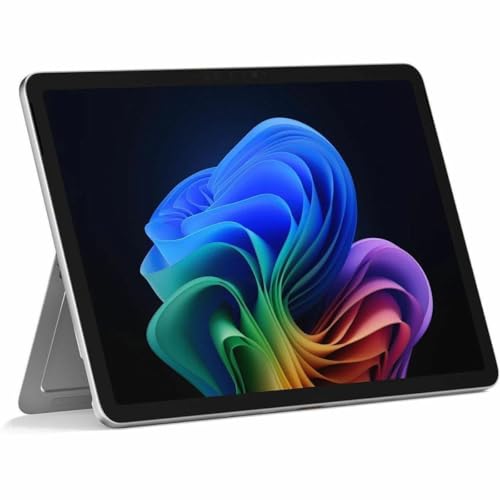
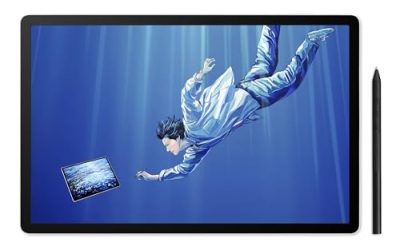
If your portable office is a small shoulder bag rather than a backpack, the Microsoft Surface Pro, 12-inch (2025) trims the same idea down further. The linked configuration pairs an 8-core Snapdragon X Plus processor with 16GB of memory and a 512GB solid-state drive, running Windows 11 as a Copilot+ PC. The 12-inch PixelSense display runs at 2196 x 1464 resolution with a 90Hz refresh rate, and the tablet weighs about a pound and a half, noticeably easier to hold one-handed for reading and annotating than the 13-inch model.
Microsoft rates this model for up to 16 hours of battery life, the longest claim in this roundup, which reflects the smaller screen and the efficiency of the chip. The design also rethinks the accessories: the keyboard attaches magnetically and the Surface Slim Pen can store and charge on the back of the tablet, so the pieces of the kit are less likely to separate in transit. For a portable office, that integration matters more than it sounds. A detachable setup only works if every part of it is actually in the bag, and a pen that lives on the device is a pen you have with you.
The trade-offs are the smaller canvas and the same Arm-software consideration as its larger sibling. A 12-inch screen is comfortable for documents, email, web research and video calls, and it can drive an external monitor at a desk, but side-by-side windows feel tighter than on the 13-inch model. Choose this one if you move constantly, work in short bursts in varied places, and value the lightest possible kit over maximum screen space. It is also a sensible pick for field roles — inspections, site visits, client sign-offs — where the tablet gets carried in hand as much as it sits on a desk.
3. ASUS ROG Flow Z13 (2025) — The High-Power Outlier

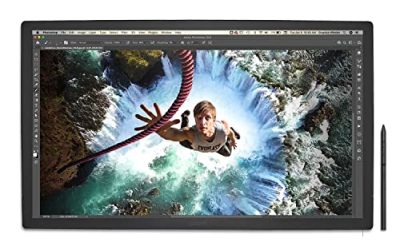
The ASUS ROG Flow Z13 (2025) is a detachable built for a different kind of portable office: one that includes heavy multitasking, large datasets, development work, CAD viewing or creative production alongside the usual documents and calls. The linked configuration, model GZ302EA-XS96, runs an AMD Ryzen AI Max+ 395 processor with 16 cores and integrated Radeon 8060S graphics, 32GB of LPDDR5X memory and a 1TB PCIe Gen 4 solid-state drive, under Windows 11 Pro. Because it is an x86 AMD machine, the legacy-software question that applies to the Snapdragon models does not apply here: standard Windows applications, drivers and virtualisation tools run as they would on a desktop.
The 13.4-inch ROG Nebula touchscreen offers 2560 x 1600 resolution with a 180Hz refresh rate, specifications aimed at gaming that also make scrolling through long documents and timelines feel exceptionally smooth. The detachable keyboard is included rather than sold separately, the kickstand opens to 170 degrees, and the port selection is broader than the Surface models: two USB4 Type-C ports, a USB 3.2 Gen 2 Type-A port for older peripherals, HDMI 2.1 for direct connection to meeting-room screens, and a microSD card reader. For a portable office that regularly lands in rooms with unknown equipment, that built-in variety reduces dependence on a hub.
The compromises are weight and battery expectations. At roughly two and two-thirds pounds for the tablet alone, it is the heaviest pick here, and its powerful hardware is happiest near a charger; ASUS rates it for up to 10 hours of battery life, and demanding workloads will shorten that considerably. It is also unapologetically styled as a gaming machine. If your portable office involves serious compute between meetings and you accept a heavier bag, nothing else in the detachable category offers this level of performance. If your work is documents and calls, the Surface models above will serve you better and travel lighter.
An Honest Note on the Rest of the Category
Shoppers researching this category will encounter other names, and it is worth explaining why they are not picks here. Dell’s Latitude 7350 Detachable and Lenovo’s IdeaPad Duet 5i are genuine Windows detachables aimed at business and value buyers respectively, but current Amazon US listings for them could not be verified with confidence at the time of writing, so they are mentioned without links rather than recommended on uncertain listings. Lenovo also sells a Duet 5 that looks similar but runs Chrome OS, which fails the Windows requirement outright. HP’s business detachables have largely disappeared from retail listings. The practical conclusion is that the Windows detachable market is narrow: two Surface Pro sizes for mainstream office work, and the ROG Flow Z13 for high-performance work, cover nearly every portable office scenario that a detachable can serve.
Building the Rest of the Portable Office Kit
The tablet is only the centre of the setup. A few additions turn any of these machines into a complete travelling office.
A compact USB-C hub or travel dock is the single most valuable accessory, adding HDMI output, USB-A ports and pass-through charging through one cable. A wireless mouse is far more comfortable than a cover trackpad for long sessions, and it works on surfaces where the kickstand setup is awkward. Noise-cancelling earbuds make video calls viable in shared spaces. A slim laptop stand can raise the tablet to eye level when you detach the keyboard and type on a separate travel keyboard, a configuration that is kinder to your neck during full working days in one place. Finally, cloud storage or a small external SSD keeps your files safe if the bag goes missing; the detachable itself is replaceable, but the work on it may not be.
How to Choose
Start with software, not hardware. If every application you depend on is mainstream or browser-based, the Snapdragon-powered Surface Pro models are the most portable and longest-lasting options, with the 13-inch suiting desk-heavy work and the 12-inch suiting constant movement. If you rely on any legacy, specialised or driver-dependent Windows software, or you run virtual machines and heavy workloads, the AMD-powered ROG Flow Z13 removes all compatibility doubt at the cost of weight and battery life. Whichever you choose, remember that the keyboard is a separate decision on the Surface models: factor it into the purchase from the start, and your detachable will genuinely replace a laptop rather than merely accompany one.