Key takeaways
- Compare pen-enabled Windows tablets for handwritten notes, from Surface Pro and ROG Flow to budget slates, with stylus support, key specs and checks.
Choosing a Windows tablet for handwritten notes is rarely about whether the screen accepts a pen. Almost every model here does. The real decision is what arrives in the box and how the writing feels: some tablets bundle the stylus, others sell it separately, and the tall, page-like shape of the screen matters as much as its size. Pick the wrong combination and you end up with a capable tablet that still is not ready for your first page of notes.

This guide serves students filling notebooks in lectures, professionals marking up documents in meetings, and home users who simply prefer ink to typing. Every pick below runs full Windows and states pen support in its Amazon listing. The selections were made from the names and specifications on each Amazon product page: display size and resolution, the exact stylus wording, memory, storage, and whether the pen is included or sold separately.
Quick Picks
As an Amazon Associate we earn from qualifying purchases
| Product | Best for | Key spec |
|---|---|---|
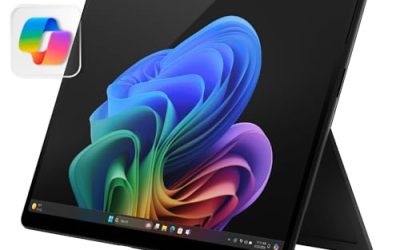
| Microsoft Surface Pro (11th Edition), Snapdragon X Plus | All-day note-taking on the reference Windows tablet | 13-inch touchscreen |
| ASUS ROG Flow Z13 (2025), GZ302EA-XS96 | Notes alongside demanding apps and games | 13.4-inch display, 2560 x 1600 |
| ASUS ProArt PZ13 (HT5306) | Sketching and annotating visuals on an OLED screen | 13.3-inch Touch OLED 3K detachable display |
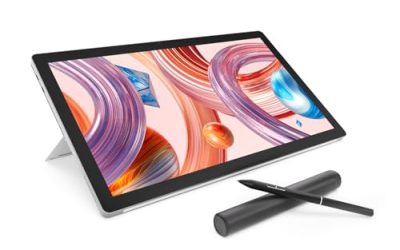
| CHUWI Hi10 Max 2-in-1 Tablet | Budget notes on a large, tall writing screen | 12.96-inch IPS screen, 2880 x 1920 |
| Fusion5 Helios 12 (2026 Version) | Writing straight out of the box | 12-inch 2K display, stylus pen included |
How to Choose
Check Whether the Pen Is in the Box
Pen support and a pen in the box are two different things, and listings use similar wording for both. Some tablets here include the stylus, others treat it as an accessory you add later, and one maker lists the pen among the model’s accessories without stating clearly whether it ships with this exact configuration. Before ordering, read the listing’s contents line and the pen paragraph word for word. If the pen is separate, confirm the exact pen model the tablet supports, because a stylus bought for the wrong machine may pair poorly or not at all.
Match the Pen Protocol to the Tablet
Most Windows tablets in this guide follow the Microsoft Pen Protocol, often shortened to MPP, and several specify version 2.0 in their listing text. A pen built for that protocol is the safe match; a stylus designed for a different standard, such as the pens made for iPads or for Wacom-style digitizers, will not write on these screens. When a listing names a specific pen, treat that name as the compatibility list. Third-party MPP pens can work, but the listing for your exact tablet is the only wording worth trusting before you spend money.
Pick a Screen Shape That Suits Handwriting
A taller screen gives handwriting room to breathe. Several picks here use a 3:2-style aspect ratio, which holds more lines of a notebook page on screen at once and feels closer to paper when the tablet sits in portrait orientation. Wider 16:10 and 16:9 panels suit video and split-screen work, but they squeeze the page when you rotate them for writing. Size matters too: a 13-inch class screen approximates a sheet of paper, while smaller panels trade writing space for portability. Match the shape to how you actually hold the tablet during a typical note session.
Balance Memory, Storage and Power
Note apps themselves are light, but a Windows tablet rarely does only one job. Sixteen gigabytes of memory keeps OneNote, a browser and a document editor comfortable side by side, while the entry-level chips in the budget picks handle notes and documents well and slow down under heavy multitasking. Storage fills with PDFs, recordings and synced notebooks, so 512 gigabytes is the relaxed choice for a multi-year machine. At the other end, gaming-grade processors add cost and fan noise that pure note-takers never benefit from, so buy the headroom you will genuinely use each week.
The 5 Best Options
Microsoft Surface Pro 2-in-1 Laptop/Tablet (2024), 11th Edition, Snapdragon X Plus, 16GB RAM, 256GB SSD, Platinum (ZHX-00001)
The Surface Pro is the reference point for Windows handwriting, and this 11th Edition configuration pairs a 13-inch touchscreen with a Snapdragon X Plus chip, 16GB of memory and a 256GB SSD. Its listing family states pen support for note-taking with a pen, so it suits students and professionals who live in OneNote and want the deepest pen and app support Windows offers. The tall screen shape flatters handwritten pages in portrait use, and the Platinum finish keeps it neutral for office settings where a gaming look would feel out of place.
Specs
- Display: 13-inch touchscreen
- Processor: Snapdragon X Plus (10 Core)
- Memory: 16GB RAM
- Storage: 256GB SSD
- Colour: Platinum
- Operating system: Windows 11 Copilot+ PC
- Pen: Pen-enabled for note-taking; a pen is not recorded as included in the box for this listing
Best for: Note-takers who want the reference Windows tablet for handwriting, with the deepest pen and app support in Windows.
Watch out for: The pen and keyboard are separate purchases on this line, so confirm what the live listing bundles and that it still shows a featured offer before ordering.
ASIN: B0CXL5272V
ASUS ROG Flow Z13 (2025), GZ302EA-XS96, Ryzen AI MAX+ 395, 32GB RAM, 1TB SSD
The ROG Flow Z13 is the power pick: a 13.4-inch tablet with a 2560 x 1600 display, an AMD Ryzen AI MAX+ 395 processor, 32GB of memory and a 1TB SSD running Windows 11 Pro. Its Amazon listing copy states the touchscreen works with an active stylus for drawing and taking notes, so handwriting sits alongside serious multitasking, coding or gaming on the same machine. At 2.65 pounds it stays genuinely portable, and ASUS lists its Pen SA203H, an MPP 2.0 pen, among the model’s accessories, though inclusion needs confirming on the live listing.
Specs
- Display: 13.4-inch, 2560 x 1600
- Processor: AMD Ryzen AI MAX+ 395
- Memory: 32GB LPDDR5 RAM
- Storage: 1TB SSD
- Operating system: Windows 11 Pro
- Weight: 2.65 pounds
- Colour: Off Black
- Pen: Active stylus support stated for drawing and taking notes; ASUS Pen SA203H (MPP 2.0) listed among the model’s accessories
Best for: Buyers who want one tablet for handwritten notes and heavy Windows work or gaming, with the strongest hardware in this lineup.
Watch out for: This is gaming hardware, so note-takers who never game pay for power they will not use; confirm pen inclusion and the featured offer on the live listing.
ASIN: B0DT7MNLTD
ASUS ProArt PZ13 (HT5306), Snapdragon X Plus, 16GB RAM, 1TB SSD
The ProArt PZ13 is the detachable built for people who write and draw in the same session. Its 13.3-inch OLED 3K touchscreen pairs with a Snapdragon X Plus chip, 16GB of memory and a generous 1TB SSD, and the package includes a backlit keyboard per the listing. ASUS’s specification for this model states stylus support and lists a stylus in the box, which would make it the most complete handwriting kit here. Because the tracked listing is a bundle variant, that pen inclusion is the single most important detail to verify before ordering.
Specs
- Display: 13.3-inch Touch OLED 3K, detachable
- Processor: Qualcomm Snapdragon X Plus X1P-42-100
- Memory: 16GB LPDDR5X
- Storage: 1TB SSD
- Keyboard: Backlit keyboard listed
- Wireless: WiFi 7
- Operating system: Windows 11 Home
- Pen: Stylus support stated; a stylus is listed in the box in the maker’s specification for this model
Best for: Note-takers who also sketch or annotate visuals, and want an OLED detachable with stylus support.
Watch out for: Confirm on the live listing that the pen is actually included in this bundle variant and that a featured offer exists, since tracked records show marketplace offers only.
ASIN: B0DQHL77J9
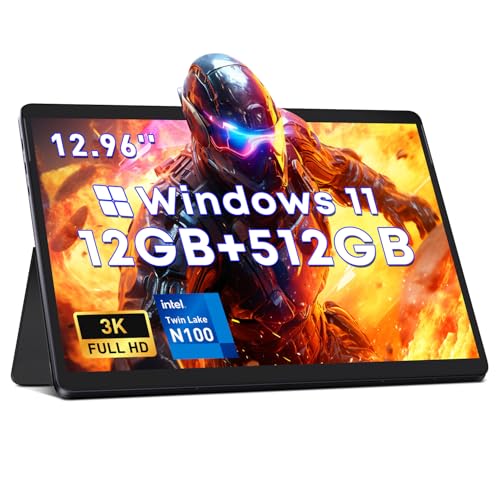
CHUWI Hi10 Max 2-in-1 Tablet, Intel N100, 12GB RAM, 512GB SSD
The Hi10 Max is the budget route to a big writing page. Its 12.96-inch IPS touchscreen runs at 2880 x 1920 in a tall 3:2 shape, backed by an Intel N100 processor, 12GB of memory and a 512GB SSD, and the listing includes a case. Amazon’s bullets state MPP 2.0 active stylus support for handwritten note-taking and document annotation, which is exactly the feature set a notes-first buyer needs. The catch is simple: the stylus is sold separately, so budget for the pen alongside the tablet rather than discovering that at checkout.
Specs
- Display: 12.96-inch IPS touchscreen, 2880 x 1920
- Processor: Intel N100
- Memory: 12GB RAM
- Storage: 512GB SSD
- Operating system: Windows 11
- Wireless: WiFi 6, Bluetooth 5.2
- Camera: 8MP
- Ports: HDMI, USB 3.2
- Included: Case
- Pen: MPP 2.0 active stylus support stated for handwritten note-taking; stylus sold separately
Best for: Budget note-takers who want a large, tall 3:2 writing screen and a full Windows tablet for notes and light work.
Watch out for: The stylus is a separate purchase, and the entry-level N100 processor suits notes and documents rather than heavy multitasking; confirm the live listing’s pen wording and offer.
ASIN: B0DBZLV1XC
Fusion5 Helios 12 (2026 Version), Windows 11 Tablet PC with Stylus Pen, 12GB DDR5 RAM, 512GB SSD
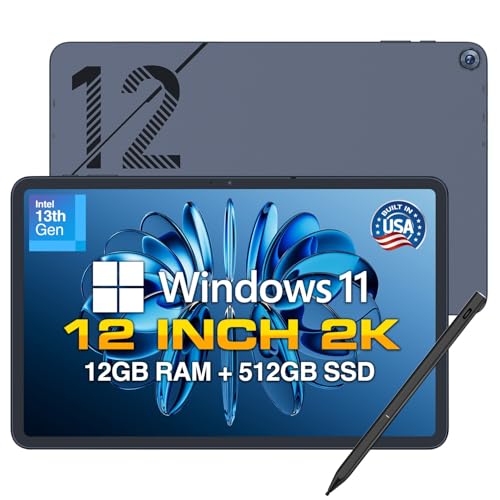
The Helios 12 removes the pen question entirely: its listing title states a stylus pen is included, and the maker’s copy describes that pen for writing and note-taking. The hardware is straightforward: a 12-inch 2K display at 2000 x 1200, a 13th Gen Intel processor, 12GB of DDR5 memory and a 512GB SSD in a metallic body with a built-in fan. That combination suits students and home users who want to open the box and start writing the same day, without a second accessory order standing between them and their first page of notes.
Specs
- Display: 12-inch 2K, 2000 x 1200
- Processor: Intel 13th Gen (N100 per the maker’s listing data)
- Memory: 12GB DDR5 RAM
- Storage: 512GB SSD
- Operating system: Windows 11
- Cooling: Built-in fan
- Body: Metallic
- Pen: Stylus pen included, per the listing title
Best for: Note-takers who want the pen in the box, with no separate stylus purchase before the first handwritten note.
Watch out for: Fusion5 sells several similar Windows tablets under different listings, so confirm the pen is in the box for this exact variant and that a featured offer exists.
ASIN: B0GMYB3K5F
Which One Fits Your Situation
Filling Notebooks Through a Full Day of Classes
Students need dependable hardware, a page-like screen and a pen that simply works in every lecture. The Surface Pro fits that pattern best, with its tall 13-inch touchscreen and the deepest pen support in Windows. Budget for the pen separately, since it is not recorded as included with this listing. The CHUWI Hi10 Max is the alternative when cost leads, offering a larger tall screen for less, with the same separate-pen caveat.
Marking Up Documents and Annotating Visuals
Readers who annotate PDFs, sketches and slides want color accuracy and a pen in hand from the start. The ProArt PZ13 answers with its OLED 3K detachable screen and stylus support, with a stylus listed in the box in the maker’s specification. Verify that inclusion on the live listing before ordering, because the tracked offer is a bundle variant and bundle contents are exactly where pen inclusions quietly change between listings.
Notes Plus Demanding Software on One Machine
If the same tablet must run note apps in the morning and heavy software later, the ROG Flow Z13 is the pick built for that double life. Its Ryzen AI MAX+ 395 processor, 32GB of memory and 1TB SSD handle demanding Windows work, while the listing states active stylus support for drawing and taking notes. Confirm the pen’s inclusion on the live listing, and skip this model if your workload is notes alone.
Starting Handwritten Notes on a Tight Budget
Two picks keep the entry cost down. The Fusion5 Helios 12 states a stylus pen in the box, so it is ready for handwriting the day it arrives, with a 12-inch 2K screen and 512GB of storage. The CHUWI Hi10 Max counters with a larger, taller 2880 x 1920 screen and an included case, but its MPP 2.0 stylus is sold separately, so add the pen to your budget before comparing the two.
Common Mistakes
- Assuming pen support means a pen is in the box; on several listings here the stylus is a separate purchase, so read the contents line before ordering.
- Buying a stylus built for a different protocol; an iPad pen or a Wacom-style pen will not write on these MPP screens.
- Choosing a wide screen for video and split-screen apps, then finding the page feels cramped when you rotate the tablet for handwriting.
- Paying for gaming-grade power when the tablet will only ever run note apps, documents and a browser.
- Skipping the live listing check; bundle variants change what is included, and some listings show marketplace offers only.
Frequently Asked Questions
Do all of these tablets include a stylus in the box?
No. Inclusion varies by listing, which is the central trap in this category. The Fusion5 Helios 12 states a stylus pen in its listing title, and ASUS’s specification lists a stylus in the box for the ProArt PZ13. The CHUWI Hi10 Max’s stylus is sold separately, and the Surface Pro’s pen is a separate purchase. Always read the contents line of the exact listing before ordering.
What does MPP 2.0 mean, and why does it matter?
MPP stands for Microsoft Pen Protocol, the standard most of these Windows tablets use to communicate with an active pen. Version 2.0 is the revision named in several listings here, including the CHUWI Hi10 Max’s stylus support. A pen must match the tablet’s protocol to write, so an MPP pen is the safe purchase for these machines, while pens built for iPads or other digitizer standards will not work.
Can these tablets run OneNote and regular Windows programs?
Yes. Every pick runs full Windows, not a cut-down tablet system, so OneNote, Word, browsers and other desktop programs install and run as they would on a laptop. The difference is headroom: the ROG Flow Z13’s 32GB of memory handles heavy multitasking, while the Intel N100 models are happiest with notes, documents and web work. Match the chip and memory to the heaviest program you genuinely plan to run.
Does screen shape really matter for handwritten notes?
It does. A taller 3:2-style screen shows more of a notebook page at once and feels closer to paper when you write in portrait orientation, which is how most people hold a tablet for handwriting. Wider screens favor video and side-by-side apps but crop the page. The Surface Pro and the CHUWI Hi10 Max use tall formats, so shape is a point of difference rather than a marketing detail.